


Ai Vista
3.114.00 Reviews
App Specs
- Version
- 1.5.2
- Updated On
- License
- Free
- Downloads
- 10,000+
- Developer
- SCIENJOY META TECHNOLOGY L.L.C
- Categories
- Art & Design
- Platform
- Android, iOS
Screenshots
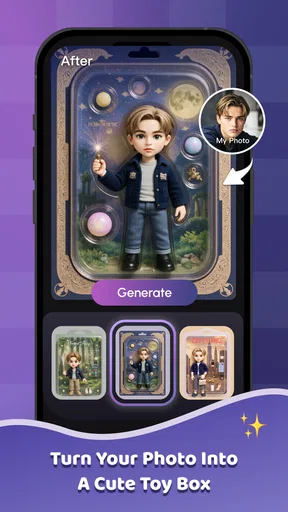
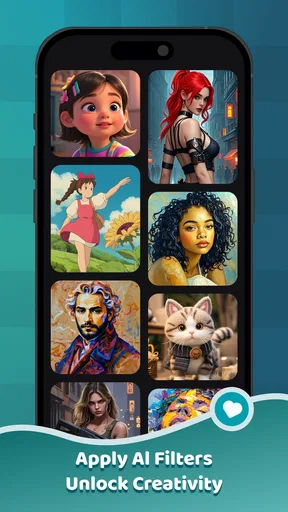
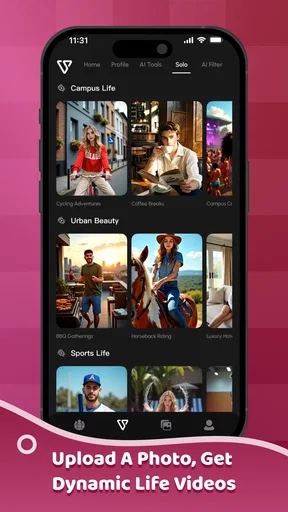
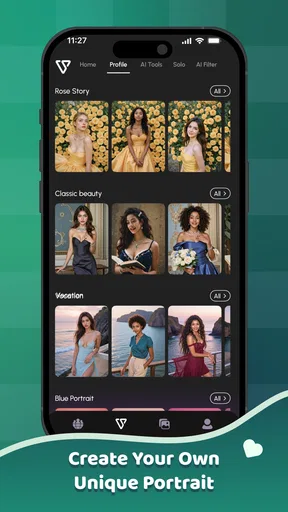
 Analysis by AppCompare
I tried Ai Vista as a lightweight way to bring AI-assisted creativity into everyday photo work, and my first impression was mixed in a useful way: it is approachable, focused, and easy to understand, but it is not a complete replacement for a serious photo editor. The app sits in the Art & Design category, with the simple promise of turning ordinary images into something more polished or imaginative. In practice, its value depends heavily on what you start with, what kind of result you expect, and how much control you want after the automated part is finished.
The app is free to install, which makes it easy to test without committing money at the beginning. It is developed by SCIENJOY META TECHNOLOGY L.L.C and is suitable for Everyone, so the overall presentation is aimed at a broad audience rather than professional designers alone. I would describe it as a convenient experiment for people who want to explore AI photo effects, not as a replacement for a carefully managed editing workflow.
From an ordinary photo to a finished visual
When I move from choosing a photo to shaping its final look, I find it helpful to treat each AI result as a creative draft rather than an automatic upgrade. In the next section, I’ll look at what happens when that quick experiment becomes heavier use, including the practical checks that help me decide whether a result is ready to share.
Starting with the right image
The most important decision happens before opening an effect: choosing the input photo. Ai Vista works best as part of a simple before-and-after workflow, where the original image already has a clear subject, reasonable lighting, and enough visual information for the transformation to make sense. A sharply framed portrait, a travel snapshot with an obvious focal point, or a clean product image gives the app more to work with than a dark, crowded photograph.
I would not begin with a group photo when the goal is a dramatic transformation. Multiple faces, overlapping objects, and complicated backgrounds can make an automated result feel less consistent. For a quick social post, this may not matter much, but it becomes noticeable when the image is meant to look intentional. My practical tip is to keep the first test simple: use one subject, crop away distractions, and save the original separately before applying anything.
This starting condition also helps set realistic expectations. AI photo tools can create an attractive visual quickly, but they do not understand personal taste in the same way a human editor does. A result may look striking at first glance while still changing small details that matter to you. If the photo contains a recognizable face, clothing detail, text, or a specific object, I recommend checking those areas closely instead of judging the image only from its overall mood.
The first pass through the app
Ai Vista’s appeal is its low barrier to entry. You do not need to understand layers, masks, curves, or advanced color controls to start exploring. The natural workflow is to bring in a photo, choose an AI-oriented treatment, wait for the processing to finish, and then decide whether the result is worth keeping. That sequence feels more like trying creative directions than building an edit manually.
Worth Reading Before You Choose

EA SPORTS FC Mobile 26 Is a Bigger Football Game, but It Takes Time

Flipboard Shows What News Apps Must Do Beyond the Feed

Switching to Android Auto Means Rethinking Your Driving Routine

Google Calendar Makes a Crowded Week Easier to Manage

Ludo King Makes the Most of the Minutes Between Plans

Baby Panda World Brings Quick Play to Modern Phones, but Its Game Library Feels Busy
For a casual user, this is a real advantage. Someone who normally takes a picture and leaves it untouched can get a more stylized result without learning a full desktop editor. I also see value for users who are stuck at the idea stage: instead of wondering whether a photograph would work in a particular visual direction, you can use the app to test the concept and then decide what to do with it elsewhere.
The trade-off is control. A traditional editor lets me make small, deliberate corrections, while an AI-first workflow tends to make a larger decision on my behalf. If the transformation is close but not quite right, I may have fewer ways to repair only the weak area inside the same experience. That is why I treat the first generated version as a draft rather than a final master.
A realistic everyday workflow
Imagine I have taken a quick portrait before meeting friends. The lighting is acceptable, but the background is visually noisy and the image feels too ordinary for a story post. I would open Ai Vista, select that portrait, and use the available creative treatment that best matches the mood I want. After processing, I would compare the new image with the original rather than automatically replacing it.
If the edited version gives the portrait a stronger identity without making the face look unnatural, I would use it for a temporary social post. If it changes the expression, hair, or background in a distracting way, I would keep the original and try a less aggressive direction. This comparison step is easy to skip, but it prevents the common mistake of accepting an impressive effect simply because it is different.
For a small business owner, the same workflow could begin with a handmade item photographed on a table. Ai Vista may help produce a more eye-catching concept for a promotional image, but I would still check whether the product itself remains accurate. An AI-styled image can be useful for mood and attention, while a straightforward photograph is usually safer when customers need to see the exact item they will receive.
Handoffs between the app and the rest of my workflow
The most useful way to think about Ai Vista is as one stage in a larger chain. The original photo comes from a phone camera or an existing gallery. The app then becomes the creative middle step. After that, the image may move to a messaging app, a social network, a presentation, or another editor for cropping and final adjustments.
That handoff matters because different destinations have different needs. A visually dramatic result may work well as a profile image, but a poster or portfolio piece may require exact dimensions, readable typography, and consistent color. I would use Ai Vista to explore the visual direction, then move the chosen image to a more precise tool when layout or technical finishing becomes important.
This approach also protects the original. I prefer to keep an untouched copy, a selected AI version, and a final export with a clear name. That small habit is especially helpful when testing several styles. Without it, it becomes easy to lose track of which image is the source and which one has already been transformed.
Another practical handoff is between personal taste and the people who will see the image. A creator may enjoy a surreal result, while a client, family member, or customer may prefer something recognizable. I would show the edited image beside the original before publishing anything important. Ai Vista can speed up experimentation, but the final decision still belongs to the person responsible for the image.
What the result is good at
The strongest outcome is speed. Instead of manually constructing a visual style from several editing tools, I can begin with an existing photo and see a new interpretation with relatively little effort. That makes the app attractive for casual creativity, profile-picture experiments, themed posts, and early visual concepts.
It is also useful when the goal is expression rather than accuracy. If I want a photo to feel more imaginative, atmospheric, or visually distinct, an automated treatment can take me somewhere I might not reach through basic brightness and contrast adjustments. The app’s role is less about correcting every technical flaw and more about helping an ordinary image become a starting point for an idea.
That distinction is important. I would not choose Ai Vista first for careful restoration, exact retouching, detailed typography, or a professional batch-editing job. A conventional photo editor is often better when I need repeatable settings, precise selections, or control over individual parts of an image. Ai Vista makes more sense when I value a quick creative jump over minute-by-minute control.
Where the workflow breaks
The main friction appears when the generated result is attractive overall but unreliable in details. AI-based image changes can be judged too generously because the first impression is strong. I recommend zooming in on faces, hands, small objects, and any lettering before sharing the result. Those checks take little time and can reveal problems that are invisible in a thumbnail.
The workflow can also break when the source image is already weak. A blurry or poorly exposed photograph may produce a more dramatic version, but drama is not the same as quality. If the input lacks a clear subject, the app has less visual structure to preserve. In those cases, a basic crop, exposure correction, or cleaner reshoot may be a better first step.
There is another limitation for people who need predictable output. Automated creativity is naturally less consistent than a manual preset applied carefully across a collection. If I am preparing a set of product images that must share the same appearance, I would test the process on several photos before relying on it. The convenience of one successful image does not automatically mean the same approach will work equally well on every source.
The app also includes optional purchases ranging from $0.49 to $144.99 per item. That broad range means I would pay close attention to the purchase screen and choose carefully rather than assuming every creative option is included with the free install. For someone who only wants to try a few ideas, the free entry point is appealing; for frequent use, it is worth deciding in advance how much the convenience is actually worth.
Device expectations and current maturity
Ai Vista requires Android 6.0 or later, so compatibility covers many older Android devices. Still, compatibility is not the same as a smooth experience on every phone. AI image processing can feel more demanding than a basic crop or filter, and I would avoid judging the app from a single rushed attempt on a device that is low on storage or already handling many tasks.
The current version is 1.5.2, and the app has been available since November 4, 2024. Its audience is still relatively modest, with over ten thousand installs, and the average rating is 3.1 from around sixty ratings, alongside fourteen written reviews. I read that combination as a reason to approach it with curiosity rather than certainty: there is enough public use to make testing worthwhile, but not enough broad feedback for me to treat every workflow as proven for every phone and photo type.
That context affects who I would recommend it to. A beginner who wants to explore AI photo styling can probably get value from trying it directly. A professional who needs dependable delivery, repeatability, and strict control should test it only as a supplementary tool. The app’s broad age rating makes it approachable, but approachable does not mean equally suitable for every creative standard.
Who should use it, and who should choose something else
I would recommend Ai Vista to someone who takes lots of photos but rarely edits them, enjoys experimenting with visual styles, or needs a quick concept for a post. It is also a sensible option for a creator who wants to compare an original image with a more imaginative interpretation before investing time in detailed editing.
I would be more cautious if the image has commercial, documentary, or identity-sensitive importance. When accuracy matters more than style, manual editing or a conventional retouching app is usually the safer choice. The same applies to users who want to adjust one small area while leaving everything else untouched. Ai Vista’s strength is the broad creative transformation, not necessarily surgical correction.
Compared with a standard filter app, Ai Vista offers a more ambitious starting point than simply changing color or contrast. Compared with a full professional editor, it is quicker but less precise. Compared with manually creating an image from scratch, it is far more accessible, though the outcome may be less predictable. That middle position is the clearest way to understand it: a fast creative assistant, not a complete visual production suite.
My final take after following the full process
After considering the complete path from source photo to shared result, I see Ai Vista as a useful tool for low-pressure experimentation. It can help me move from “this picture is ordinary” to “this picture could become something else” without demanding advanced editing knowledge. That is a meaningful benefit, especially for casual creators who want momentum rather than a complicated interface.
My advice is to use it deliberately: start with a clean image, protect the original, judge the result at full size, and treat the generated version as a draft until it survives a close inspection. For important work, pass it through another editor or compare it with a more accurate alternative before publishing. Those extra handoffs are not a failure of the app; they are the sensible way to use an AI creative tool.
Ai Vista is best when speed and visual experimentation matter more than exact control. I would install the free version to explore its possibilities, but I would not purchase anything until I had tested the results on the kinds of photos I actually use. If that balance suits you, it can become a fun first step from a normal snapshot to a more distinctive image. If you need dependable precision, consistent batches, or careful retouching, I would choose a traditional photo-editing app instead and use this one only for ideas.
Pros
- Creates polished AI-generated images from simple text prompts.
- Offers a broad range of visual styles for creative experimentation.
- The interface is straightforward for beginners to navigate.
- Useful for generating ideas
- concepts
- and social media artwork.
- Results can be produced quickly compared with manual design work.
Cons
- Some advanced tools may require a subscription or paid credits.
- Generated images can contain distorted details or inaccurate text.
- Output quality may vary depending on the prompt’s wording.
- Privacy policies should be checked before uploading personal images.
- Frequent generation can consume credits faster than expected.
FAQs for Ai Vista
What is Ai Vista and what can I use it for?
Ai Vista is an artificial-intelligence app designed to help users create, enhance, or interpret visual content, depending on the tools included in the current version. It may be useful for generating images, applying creative effects, improving photos, or experimenting with AI-powered visual features. Before downloading, check the app’s official description because available functions can vary between Android and iOS releases.
Is Ai Vista free to download and use?
Ai Vista may be available as a free download, but some features can require in-app purchases, a subscription, credits, or access to a premium plan. Free users may also encounter limits on image generations, exports, processing speed, or available styles. We recommend reviewing the pricing page and subscription terms carefully, especially if the app offers a free trial that automatically renews.
Does Ai Vista require an internet connection?
Most AI-powered visual tools require an active internet connection because images and prompts are often processed on remote servers rather than entirely on the device. This means results may take longer when the connection is weak, and mobile data usage can increase when uploading photos or downloading generated content. Offline availability, if offered, may be limited.
Is Ai Vista safe for uploading personal photos?
Before uploading personal, private, or identifiable photos, review Ai Vista’s privacy policy and permission requests. Pay attention to how the service stores, processes, and potentially uses uploaded content, as well as whether images are retained after processing. Avoid submitting sensitive documents, confidential work, or photos of other people without their permission, particularly when the app uses cloud-based AI.
Which devices are compatible with Ai Vista?
Compatibility depends on the version published for each platform, including the required Android or iOS version, available storage, and device performance. Newer phones generally provide a smoother experience, especially when editing high-resolution images or using demanding AI effects. Check the official store listing before downloading to confirm supported devices, regional availability, permissions, and the latest update requirements.


